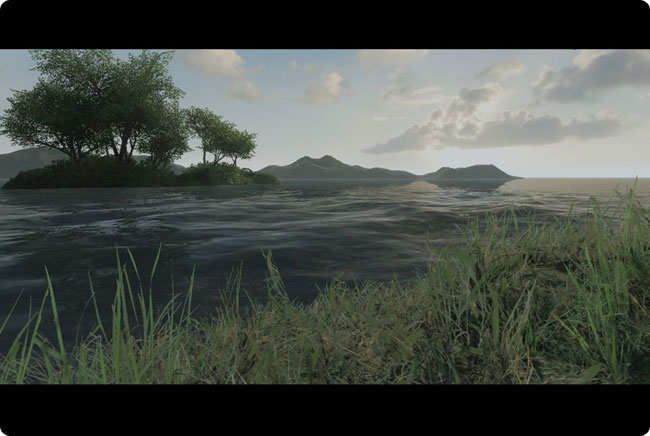
I don’t know if you heard of a game called “Crysis” (which should be on the shelves in about 2 weeks), but a demo was recently released, and I just started playing with the editor. It’s basically a program which allows you to build “levels” for the game. However by “level” I mean landscapes the size of Switzerland.
Anyway you can do almost anything you want in there, from adding blades of grass to raise mountains. And the lighting engine included is also mighty impressive. It features Sub-Surface-Scattering, depth of field, motion blur, oceans, realistic night and day cycles, and… all in real time of course. Lotsa fun! 
Update: I added the download link at the bottom of the page.
Well last week was tough. I wasted almost 2 days trying to fix a nasty bug in Maya. Mind you, it’s the first time I meet something that bad (after many years using the program). Anyway, at some point I noticed every scene was opening with error messages. Which is a bad sign. So I did what any sane person would do in this case; I threw the computer out of the… er I mean I nuked the preferences folder and let Maya recreate default ones.
However it did not fix the problem at all. It seems one scene I was working on was “contaminated”, but to make a long story short, I managed to get back on track. As a plus, I now have a script that I just have to run to set my preferences back to the way I like. In case this happens again. *knocks on wood*
But most importantly I’m done with the last (chronologically) sequence of the movie! Now I just have the first sequence left to do. So I’m still on track I guess.
Talking about my short movie, let me answer here some commonly asked questions about it: I would say I’ve been (really) working on it for about 6 month. I hope that I can finish it within an additional year. The movie is supposed to run a bit less than 15 minutes. For now, I would like to keep the story under wraps. So let’s just say it involves a robot and a boy…
And, surprisingly enough, no farting and/or burping animals.
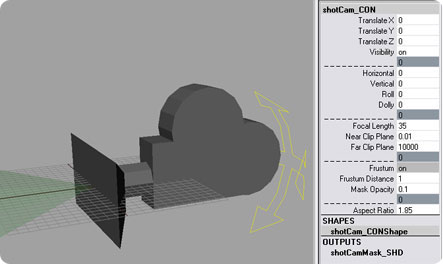 Alright, I’ve released a preliminary version of my camera rig and the GUI that goes with it!
Let me know if you find any bug or weird stuff, as I’ve only used it on my XP machine with Maya 2008. I believe it should work with previous Maya versions though…
Please carefully read the documentation and installation notes on the page prior to using it.
You’ll find everything here. Enjoy!
Yay! I just finished another sequence in ruff layout. Alright, it was a very short one, but still it counts!
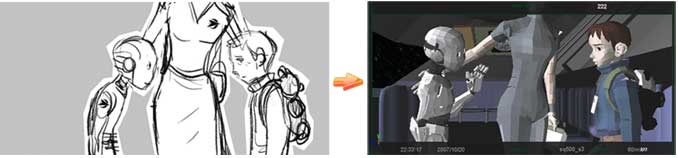
One thing I experienced during this whole process is the fact that there is a balance between storyboard and animatic of “win some, lose some”: With storyboard, you get the charm of the drawings, but things are very “fuzzy” and flat. With the step of RLO, you suddenly get a sense of space and dynamism, but you lose some of the emotion of the panels. But that’s ok, since when I do the scenes, I try to keep in mind the little bits of acting that will (hopefully) plus everything, even though they’re not yet on the screen.
Quick fix for an annoying error: In Maya 2008, when you do an “Optimize Scene” to remove unused junk in your scene, you get an error message instead of a nice summary of what was cleaned-up. I found the way to fix this on this page: http://www.tgjay.com/htms/tutorial/mr4Maya9E.htm. Basically, all you need to do is open the following script:
C:\Program Files\Autodesk\Maya2008\scripts\startup\cleanUpScene.res.mel
And edit the lines 216 & 217 that say:
displayString -replace -value "- ^1s\n" m_cleanUpScene.kSummaryFmt;

displayString -replace -value "- ^1s\n" m_cleanUpScene.kSummaryFmt2;
Just replace them by those (as always, do a backup before!):
displayString -replace -value "^1s\n" m_cleanUpScene.kSummaryFmt;

displayString -replace -value "^1s\n" m_cleanUpScene.kSummaryFmt2;
That’s it! The bug’s gone. Now go and clean-up your scene… 😛
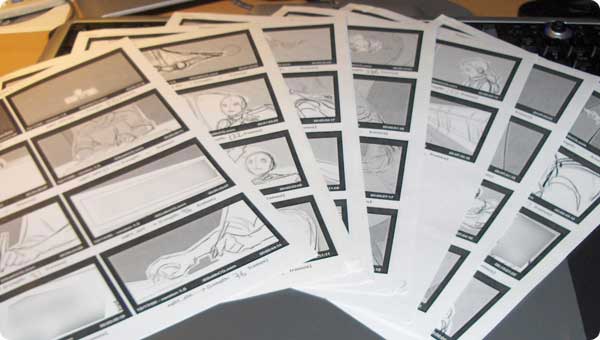
Right now I’m working hard on the animatic, which in live-action they call the “previz” process. It basically means that the drawn storyboard is turned into a crude-looking 3D reel, which can then be edited more accurately.
I’m hoping to be done with the animatic before the end of the year. I’ll pretty much have to do an average of one shot a day. Of course sometimes I’ll do more, sometimes less. For example I’m just done with a big action sequence that required a lot of work in terms of camera moves and choreography. But that went faster than I had anticipated, although I know at some point I’ll eventually have to stop in order to build/rig what is necessary for the last sequences. So far I’m only working on sequences that require the same characters and sets, so I can plow through the shots.
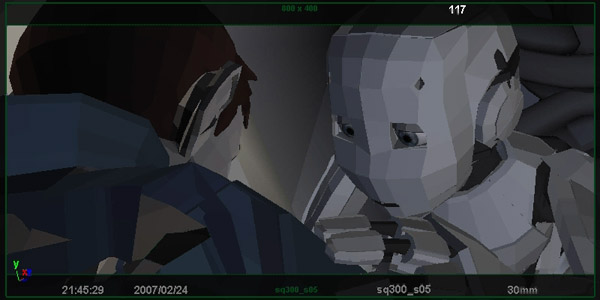
One thing I discovered on the way is that very often the simplest shots are the toughest one to setup properly. Because the composition has to be just right and the information has to be clearly (and quickly) conveyed.
Anyway, I’ll try to post some pictures later on…
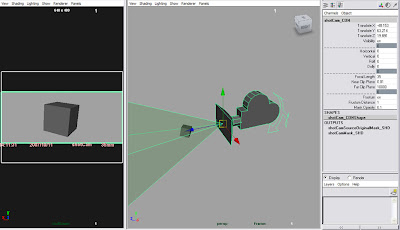 Today I thought I’d talk about the camera rig I’m working with for the animatic. After numerous iterations and fixes, I’m now pretty comfortable with the way it works.
Basically you control most of it through channels (excepts translations). That way, you only have to deal with one channel doing one thing (dolly, horizontal or vertical pan, etc…).
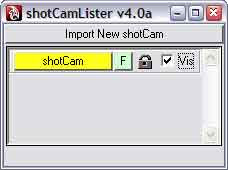 Plus you get a mask with some info on the date of creation, focal length, shot name, frame number and so on. Oh and the frustum makes it easier to see what’s in the shot and what’s not. I made a UI for it that allows easy access to every node of the camera through a right-click menu.
I intend to put the rig online as soon as I can clean-up the script and make sure it’s solid.

